
Inside the SiteWarn™ portal and app.
Every screen is about your sites: the forecasts, the warnings and the radar. Here is what your team sees when a storm is coming, when they want to watch it themselves, and when they're planning the day — on the web and on the phone.
When a storm is coming
A SiteWarn warning names the site, the hazard, the time window and what to expect. It arrives as a push alert, a text, an email, a phone call or an API message, and it's waiting in the portal and the app with the full discussion.


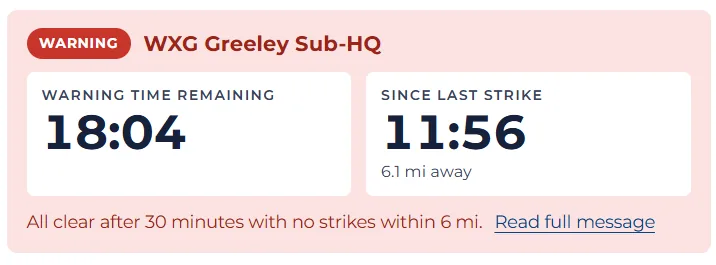
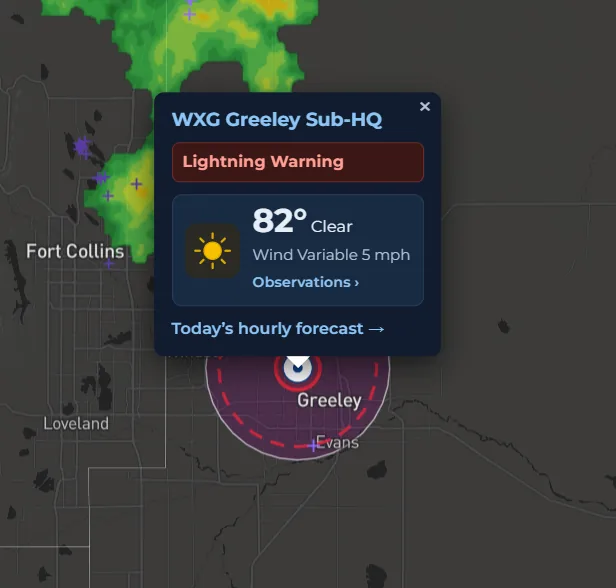
Lightning Warning Center
When lightning is near one of your sites, two clocks run side by side: the time left until the all clear, and the time since the last strike inside your warning distance, with how far away it was. Nobody has to time the all clear by hand.
Watching it yourself
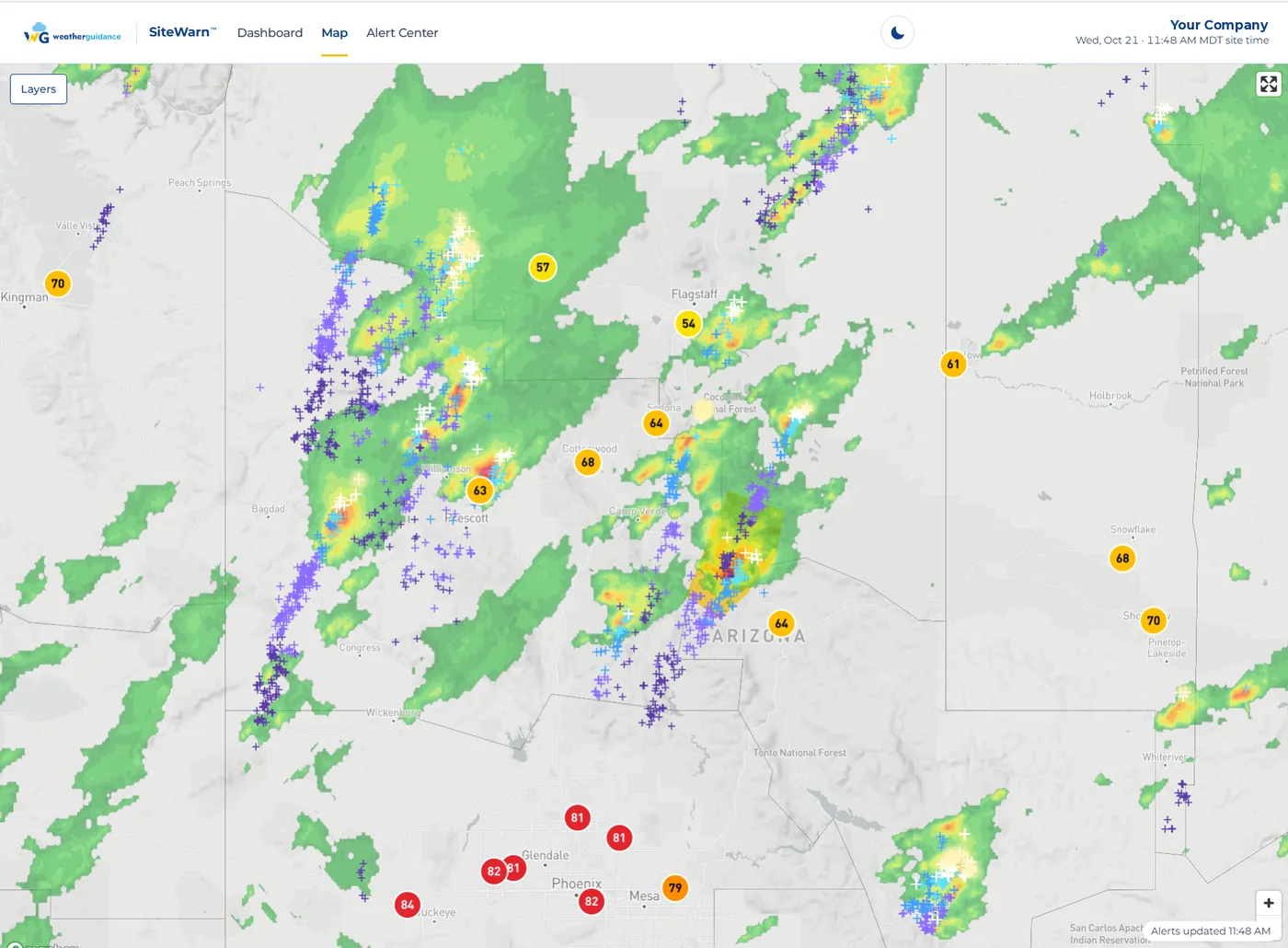
Live radar with your sites marked and every lightning strike plotted, so your team can see what our meteorologists are looking at. The small shaded area is our warning polygon: drawn to your sites, not to the whole region.


Planning the day
Hour-by-hour forecasts for each site, written by the same meteorologists who issue your warnings, with a chart no consumer weather app offers: the chance of lightning within 15 miles, by hour. Schedule the pour, the practice or the outdoor shift around it.


What actually happened
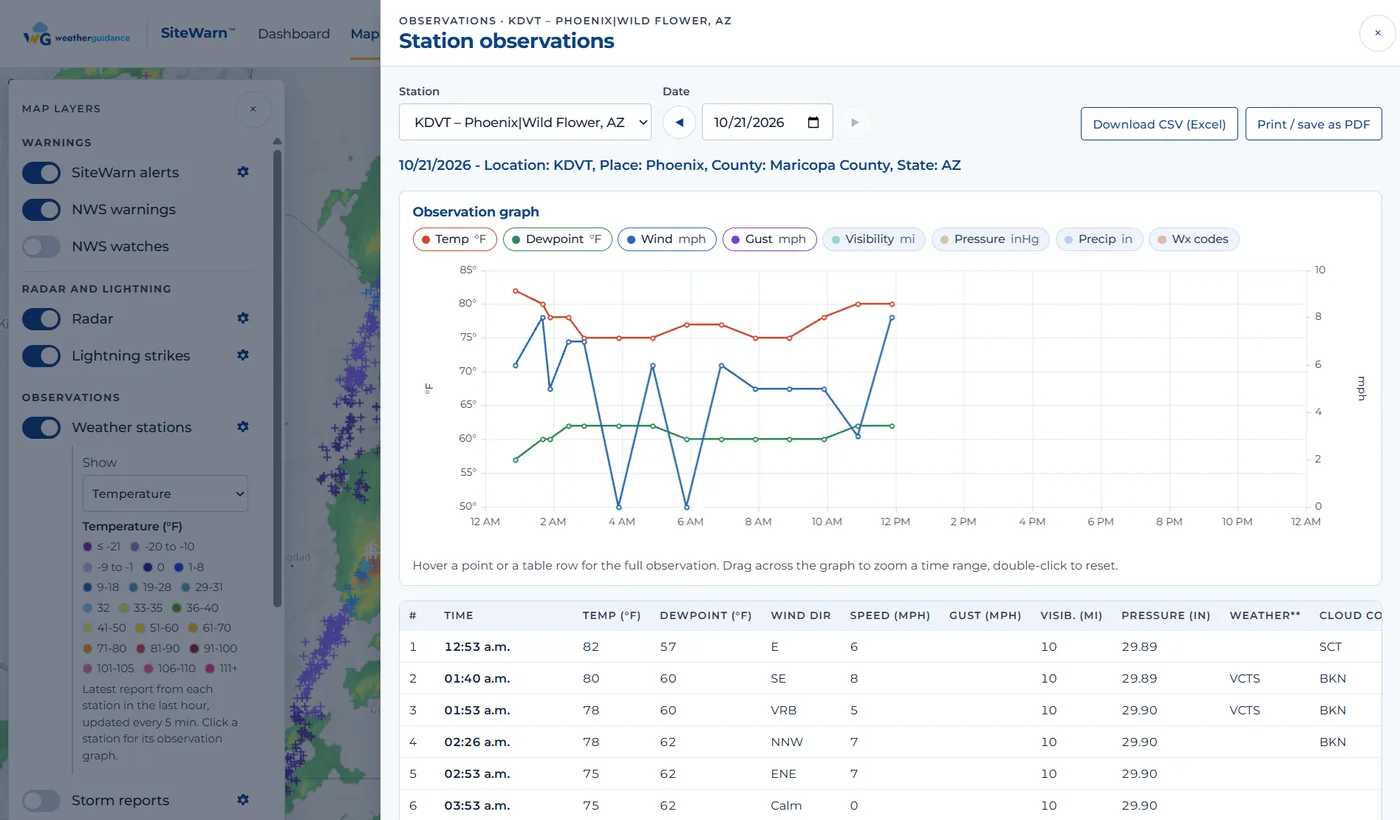
Observed weather graphs for each site, plus any weather station on the map: temperature, dewpoint, wind and gusts, visibility, pressure and precipitation, with the full table underneath. Download it as a CSV for Excel or save it as a PDF for the incident file.
Getting it to your people
The portal and app are two of six ways a SiteWarn warning reaches your team. Use any combination, for as many people as you like — there are no per-user fees.
- Secure web portal, any browser
- Smartphone app for iOS and Android
- Email alerts
- Text message and push alerts
- Telephone call — a live person or a recording, your choice
- SiteWarn API for direct integration into dispatch, SCADA, mass-notification or other systems
Getting the app
The app is in both stores. Your login comes with your Free Live Trial — the app is for SiteWarn clients and trial accounts, so start the trial first and we'll send credentials the same day.
Already a client? Use the login your Risk Consultant sent you, or sign in to the portal.
Start your Free Live Trial
Not a demo. Not a sales deck. We set up your real site with your real thresholds and monitor it exactly as we would for a paying client — so you can judge the service on the next storm, not on a brochure.
- Live warnings for your actual location(s)
- Your thresholds, lead time and delivery methods
- Full portal, app and radar access for your team — API available for integration
- No credit card, no contract, no obligation
- Set up by a meteorologist the same day (next morning for overnight requests)
Prefer to talk first? Call (512) 504-3151, email sitewarn@weatherguidance.com, or use the chat in the corner of your screen during business hours, and we'll get right back to you.
See how SiteWarn is configured for your industry, or go back to the SiteWarn overview.